Order
at the table
Your guests scan the QR code on the table, then order and pay on their phone. The order shows up in the RestoAll app and on your dashboard.
- No app, no account to create
- Every order arrives with its table
- RestoAll takes no commission
POS connected through HubRise, payments by Stripe











Table ordering, screen by screen
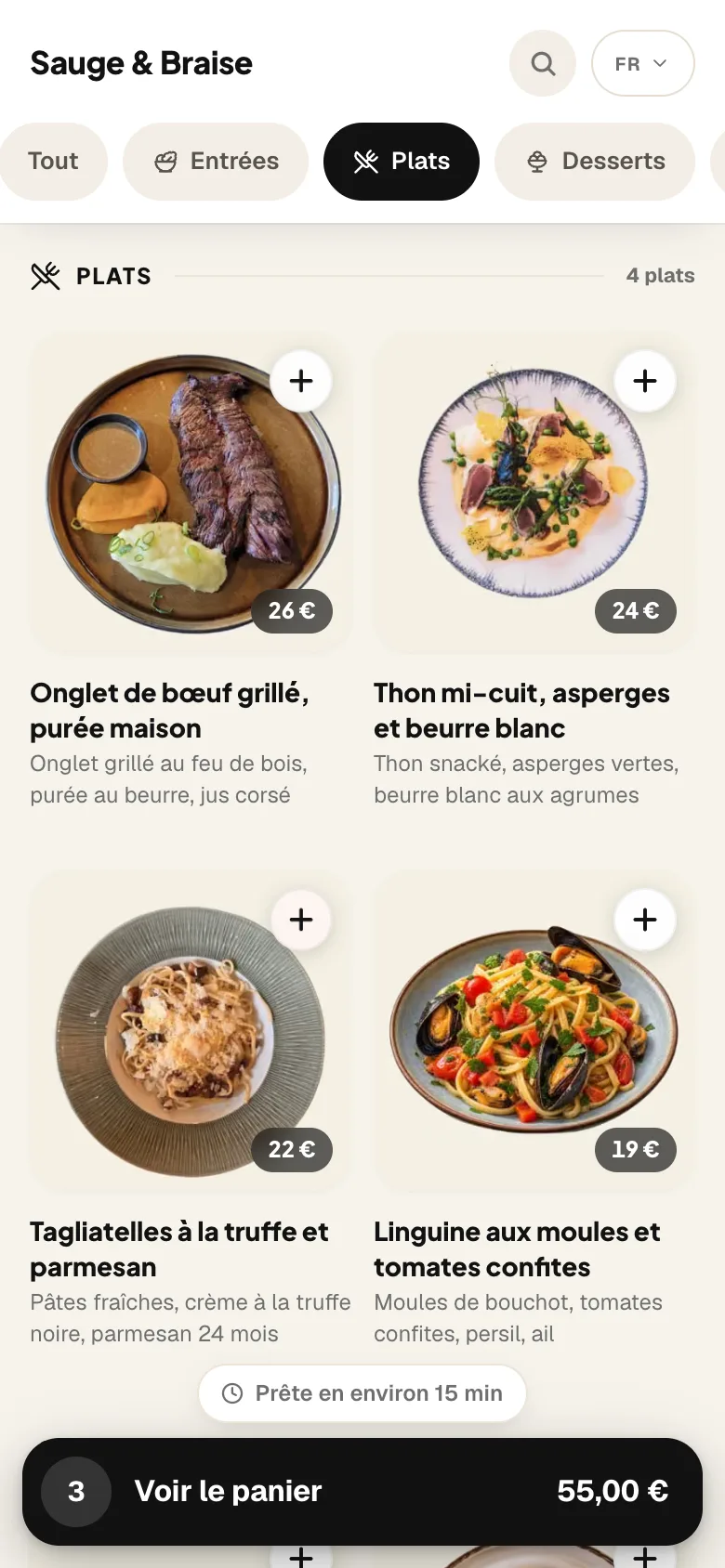
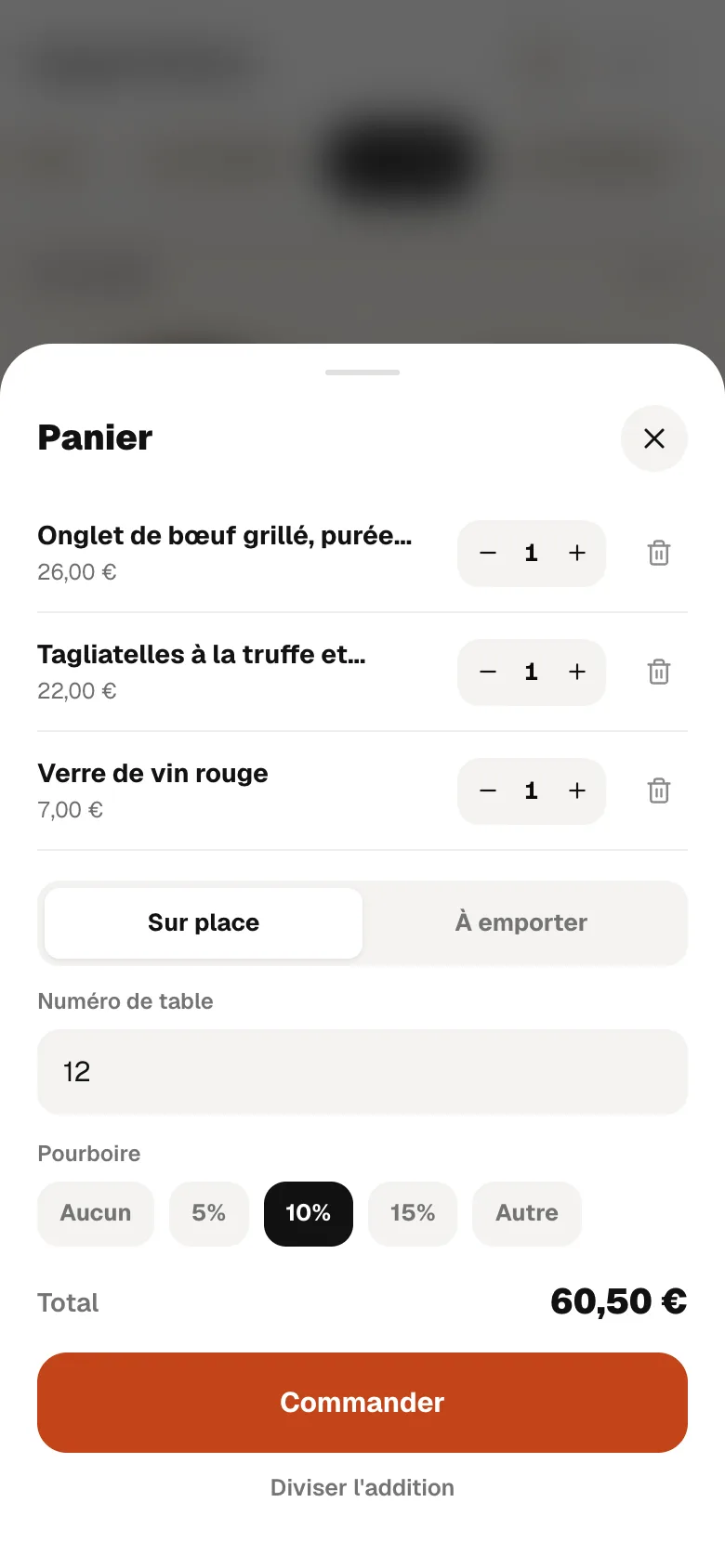
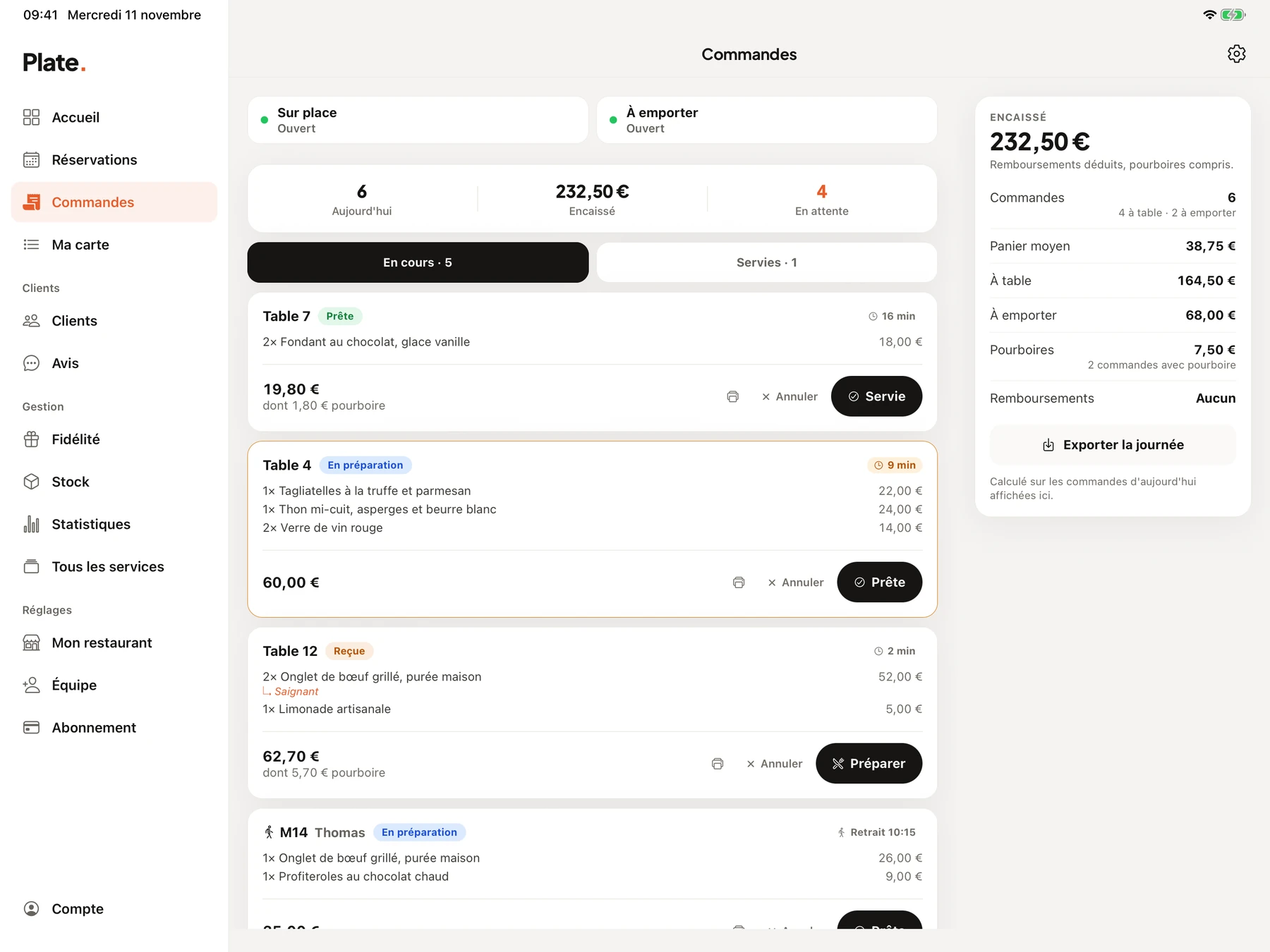
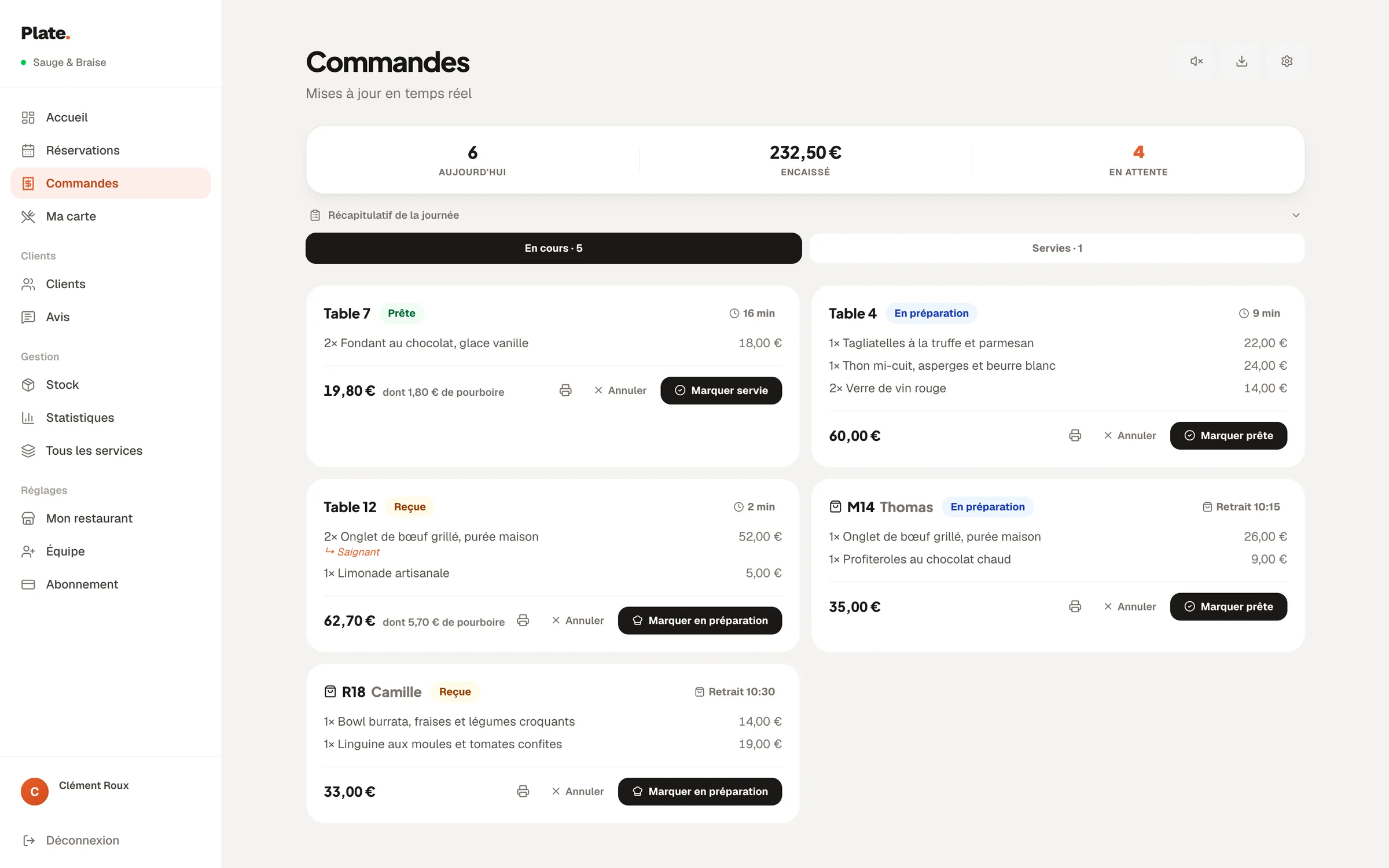
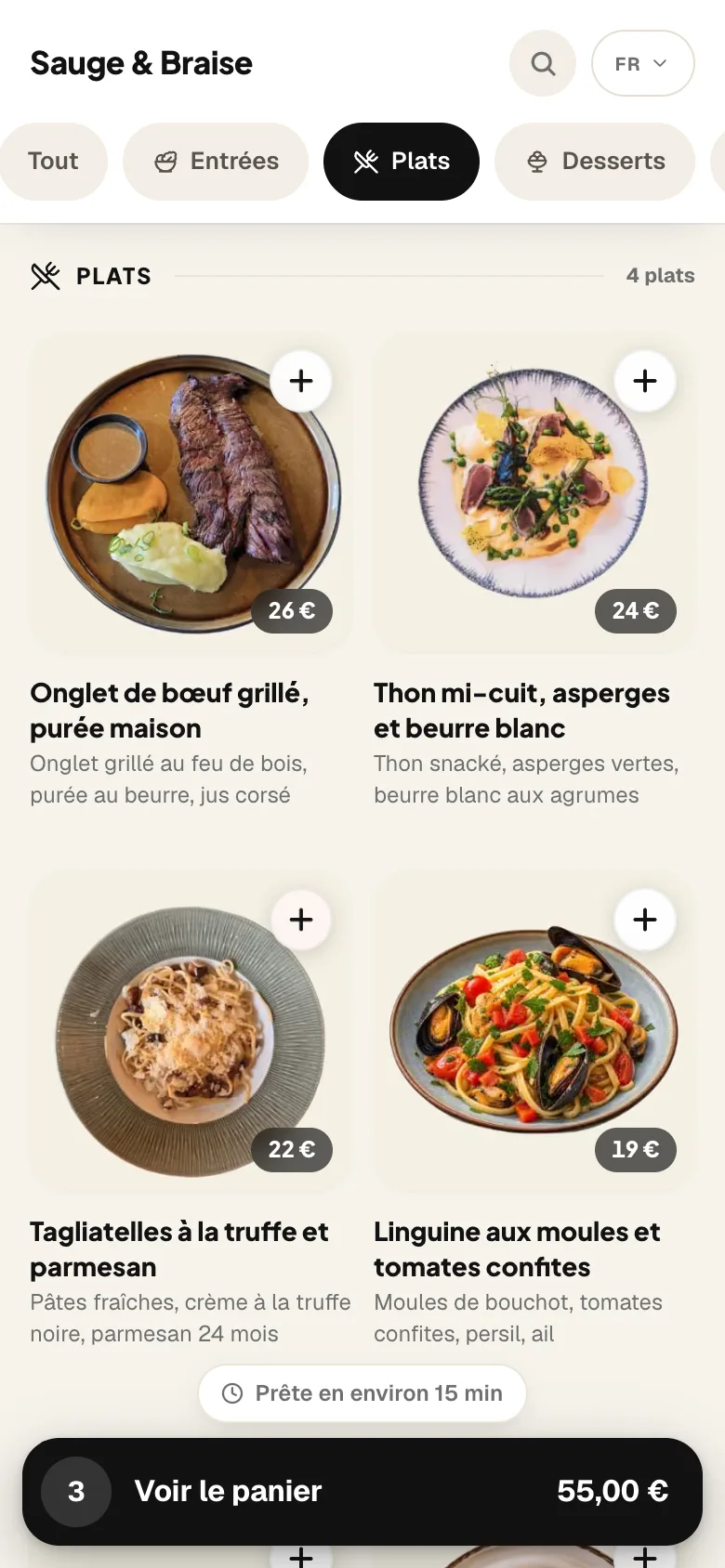
On your menu, a plus button adds each dish to the cart, which stays at the bottom of the screen with the announced preparation time.
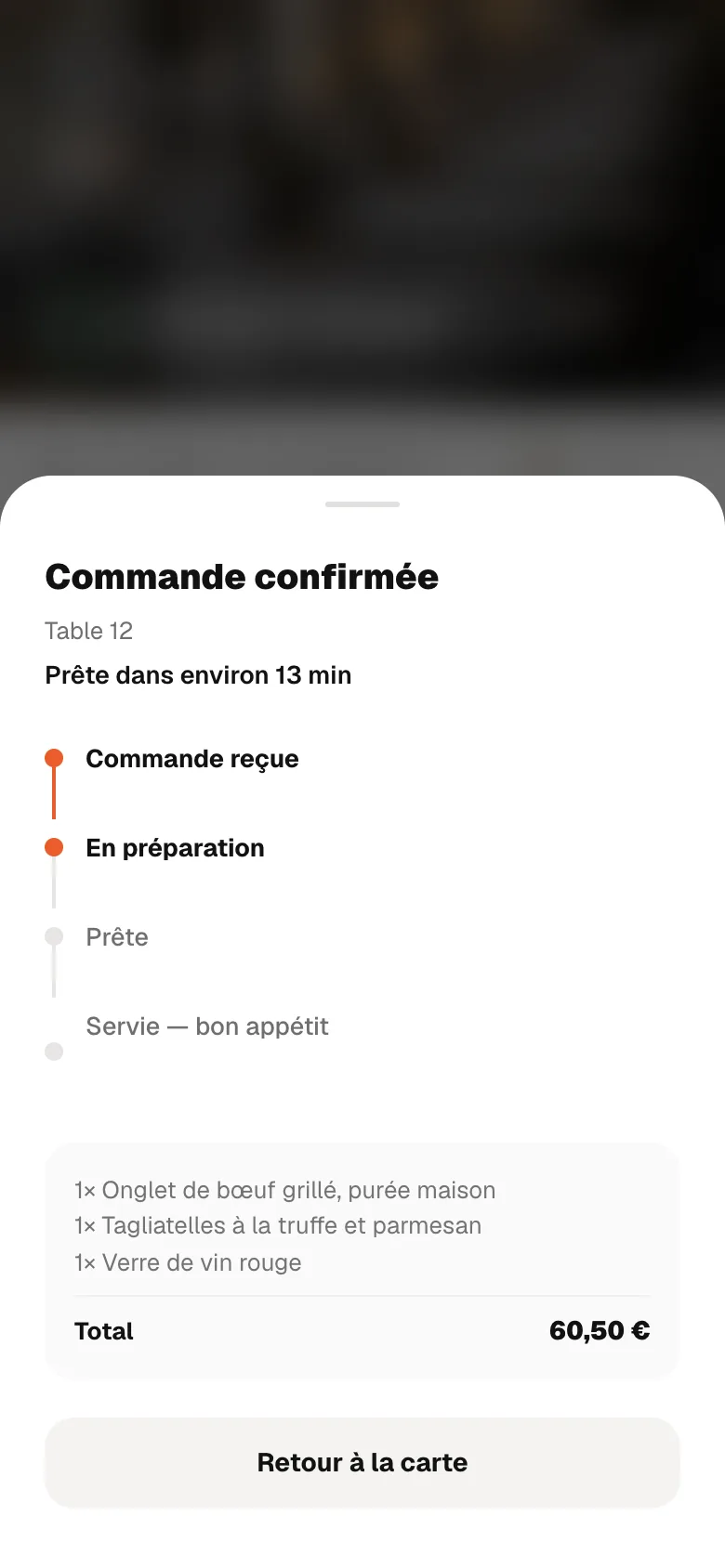
The menu on a phone, the app on an iPad and the dashboard. Screens from the French version of RestoAll, on a sample restaurant with fictional data.
Table ordering
features
Your guest enters their table in the cart. Once you have declared your tables in the settings, only their numbers are accepted. If you put out numbered QR codes, the table is recognised on its own, and the number follows the order all the way to the kitchen ticket.

You decide whether to offer a tip, and you choose the suggested amounts. The guest adds it when they pay, and RestoAll keeps none of it.
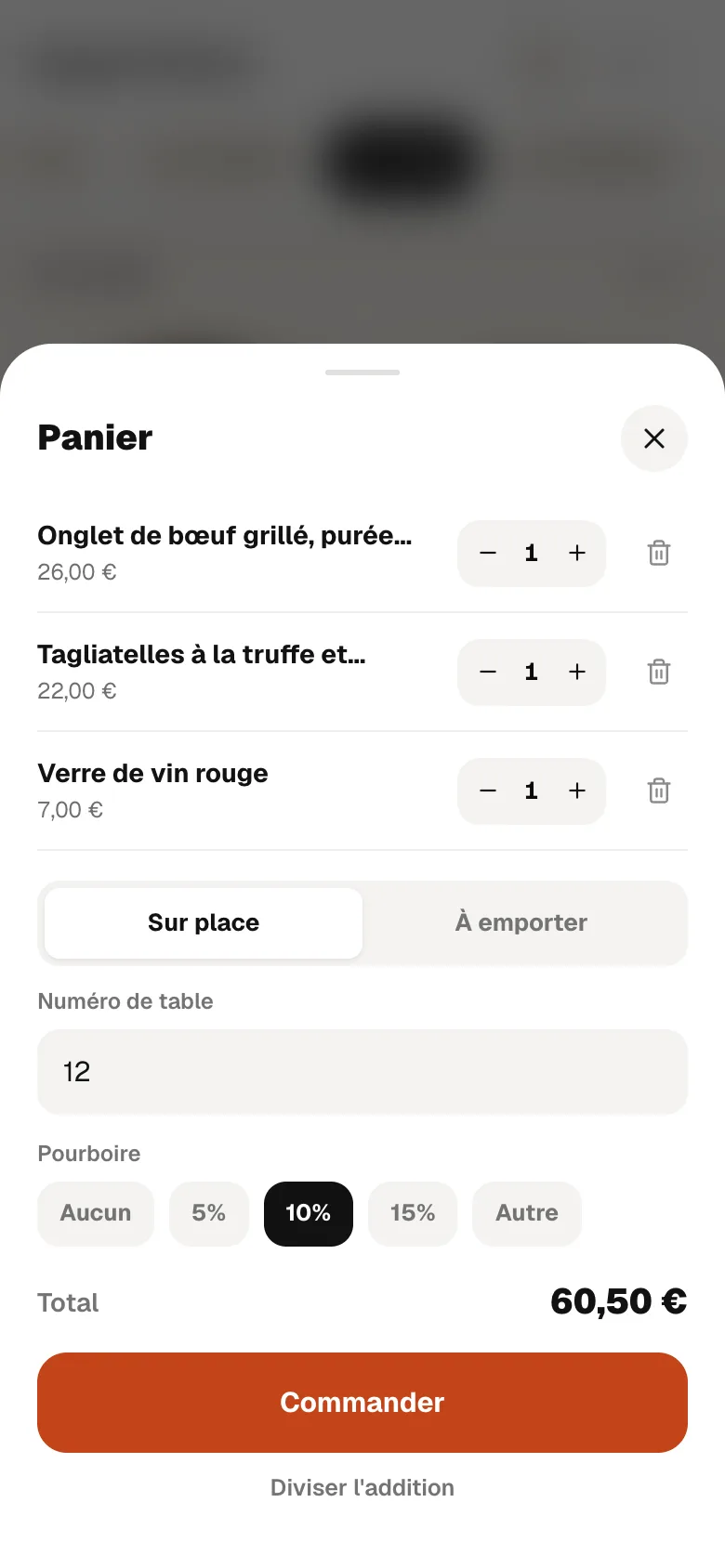

In a group, the person who orders splits the bill, in equal shares or for the amount they choose, and pays their share. The others pay theirs from their own phone, through a link or a QR code shown to them. While a share is still unpaid, the order tells you how much is left to collect.

After paying, the guest follows their order on their phone, from “received” to “served”. If you announce a preparation time, they read it on their confirmation and watch it count down.


When the kitchen is swamped, a switch in the app or on the dashboard pauses orders: the menu stays viewable, only the order button disappears. Outside your opening hours, ordering closes by itself.

Sample restaurant, fictional data.
01 / 03
Nothing for guests to install
They scan the QR code on the table and open your menu, with no app to download and no account to create. They add their dishes to the cart, then pay by card, Apple Pay or Google Pay.

02 / 03
Orders reach the kitchen already paid
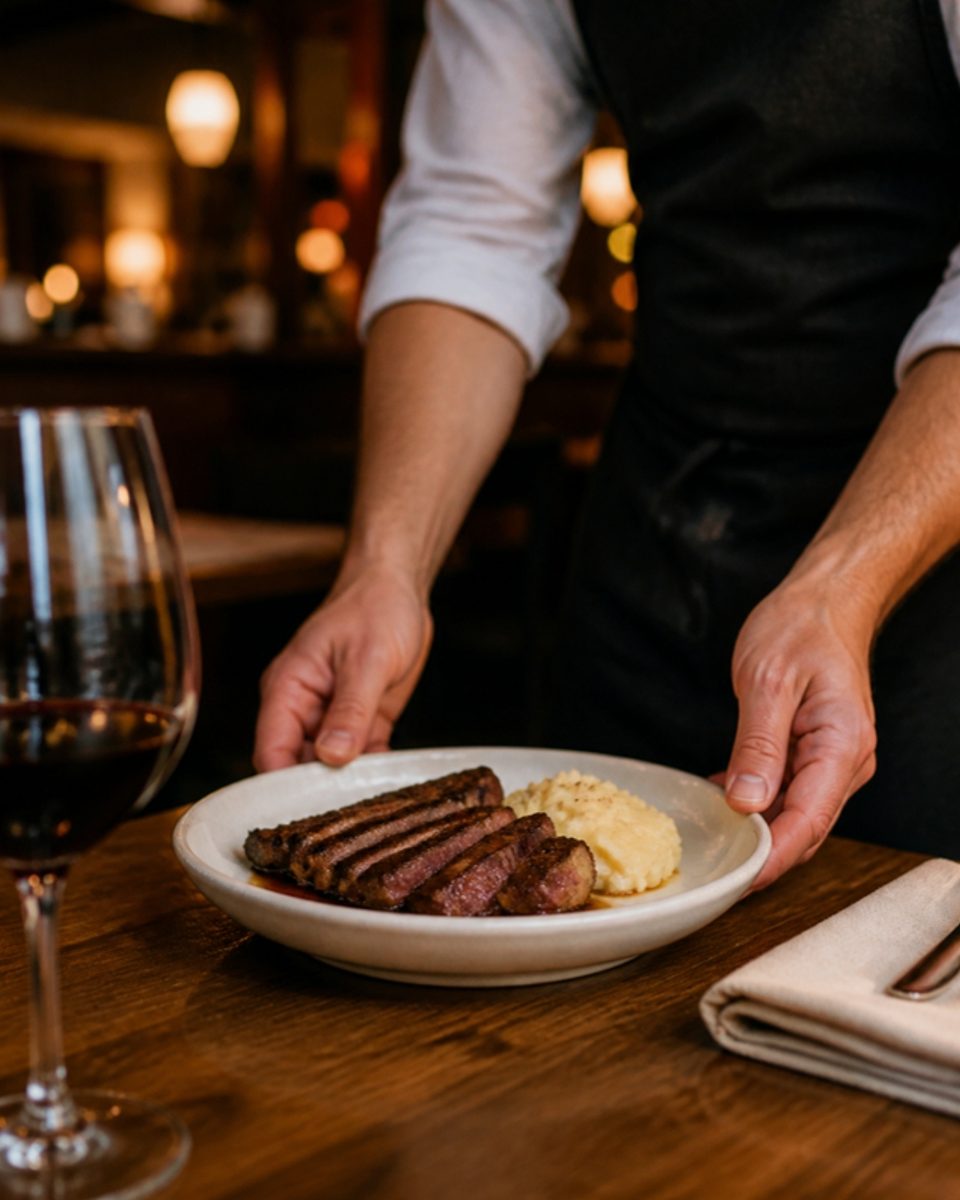
A notification alerts you, then the order shows up in the app and on the dashboard, with the table, the dishes and the amount. The kitchen ticket prints on 80 mm paper, and your POS receives the order too if it is linked to RestoAll through HubRise, a service that connects POS software.

03 / 03
No commission on your sales
RestoAll takes nothing from your sales and your guest pays no fee on top of their dishes. The money arrives, tip included, in your own account with Stripe, the card payment service, and only its card fees apply.
Included in Complete
Table ordering is part of the Complete plan at €99.99 a month, along with Click & Collect and loyalty. No commission, no commitment, and everything is open during the thirty-day trial.
Essential
Your digital photo menu, accessible by QR code.
€49.99
per month, no commitment
Without table ordering
- Unlimited dishes and photos
- AI photos (background removed, styled)
- Multilingual menu (5 languages)
- Thirty QR codes, made and shipped
- Statistics: peak hours, most viewed dishes
- Guest reviews: Google and private feedback
- Stock management and food cost
- Online table booking, no commission
Complete
Essential, plus everything that brings guests back and sells straight from the table.
€99.99
per month, no commitment
Table ordering included
- Everything in Essential, table booking included
- Loyalty programme
- Table ordering and payment
- Takeaway ordering
- POS connection (HubRise)
- 0% commission on your sales
How does table ordering work?
- 01
You put out the QR code
You open your Stripe payment account from RestoAll and declare your tables. The same QR code goes on each one.
- 02
Your guests order
They scan the QR code, enter their table and choose their dishes. They pay by card, Apple Pay or Google Pay, with nothing to install.
- 03
You receive the order
It arrives in the app with the table number. You move it along: being prepared, ready, served.

Try table ordering
Common questions.
Does RestoAll take a commission on my sales?
Where does the money go?
How does the kitchen know which table it is?
In a group, can everyone pay their share?
Do I need a POS or a kitchen screen?
The other RestoAll solutions
Everything lives in the same app and the same dashboard: one menu, one QR code, one subscription.







Let your guests order when they are ready.
- Free trial
- 30 days, no credit card
- Then
- €99.99 a month with Complete, no commitment
- QR kit
- Thirty QR codes, shipped to you